Treat the visible grid as fixed in the current version
Lootbound inventory size cannot be expanded by the player in the current version. The visible character grid is the working capacity, and there is no inventory expansion control to unlock during a run. Plan every pickup as a replacement or a use of remaining space rather than waiting for the board to grow.
At capacity, ask which item still earns its cells. Remove reserves, duplicated functions, or rewards with no planned use. The related shape and aura guides cover placement; this page focuses on making room without discarding the board's purpose.
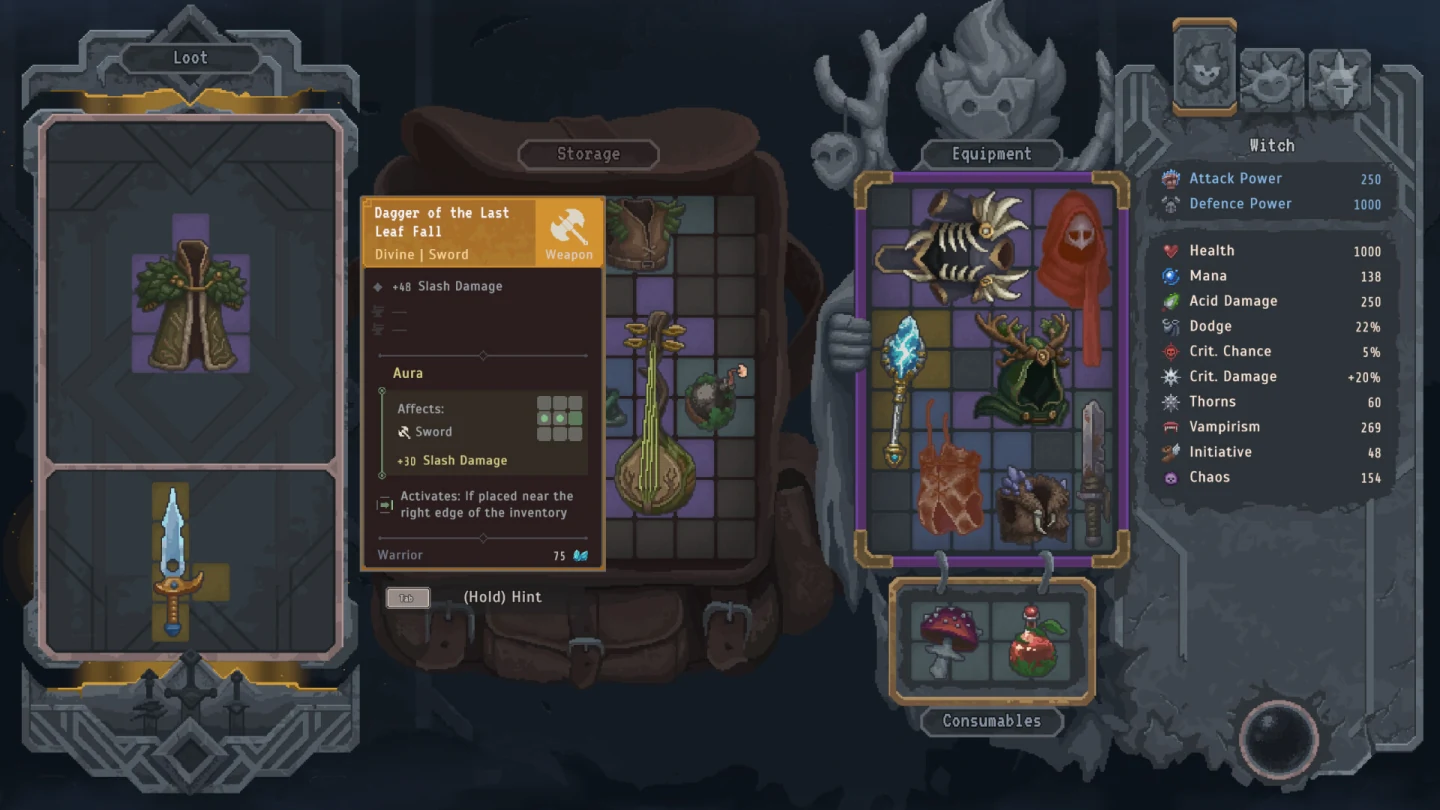
Count companion grids as party capacity, not one larger backpack
Each companion has a separate equipment grid, so recruitment adds party capacity without enlarging the hero's board. The grids never merge into one backpack. Move an item only when it contributes to the receiving companion's automatic role; an empty cell elsewhere is not useful capacity when the transferred item does nothing there.
Allocate boards by function: damage, survival, and support. Separate roles make full-board decisions easier because a piece serving none of them is the first discard candidate.
| Grid role | Keep here | Move away |
|---|---|---|
| Damage | Items that advance reliable threat removal | Unrelated defensive reserves |
| Survival | Armor and protection used by that character | Speculative damage pieces |
| Support | Healing, mana, buffs, or debuffs used automatically | Items with conditions this companion rarely meets |
Remove the lowest-value item before breaking an aura engine
When a board is full, rank items by current contribution to the assigned role. Discard a reserve with no destination, a duplicated effect, or an item that no longer participates in the plan before moving the anchor that keeps several equipped pieces useful. This is discard triage, not a complete layout rebuild.
Compare complete boards. Accept the reward only when the result improves; use the related aura guide for detailed contact optimization.
- Name the character's single primary job.
- Protect the item relationship that anchors that job.
- Find reserves and duplicated functions first.
- Compare the complete board before removing anything.
- Discard the lowest-value piece only when the replacement improves the role.
Prefer compact shapes when the board is nearly full
Near capacity, compact shapes preserve more options for the next pickup. Prefer the smaller footprint when two items perform the same job, but keep a larger item when its contribution clearly justifies the cells. Capacity is the useful work produced by the whole board, not the number of separate objects fitted inside it.
Use the related inventory-grid guide for rotation details; here, preserve one realistic destination for the next reward.
- Compare contribution with occupied space.
- Prefer the smaller footprint when contribution is equal.
- Keep open space usable rather than fragmented.
- Retain a larger item when the finished board is stronger.
Assign one job to every character grid
Give every board one readable purpose: damage, survival, or support. Clear ownership makes capacity visible. A damage grid rejects unrelated protection, a survival grid rejects speculative offense, and a support grid keeps only tools its automatic behavior can use. Secondary effects are useful only when they do not crowd out the primary job.
Check all boards once. Move an item only when another character has room and a matching role; otherwise release it.
Use a full-grid checklist before taking another reward
Before accepting a reward, name its destination, the cells it needs, the item it replaces, and the next encounter it helps. If any answer is missing, the reward does not solve the capacity problem. Preserve the functioning board and wait for a pickup with a clear role.
Check each companion grid once. A transfer must strengthen its role; otherwise discard the weakest item or leave the reward.
- Destination: choose the exact character grid before taking the item.
- Space: confirm the required cells are realistically available.
- Displacement: name the current item the reward replaces.
- Encounter: connect the change to the next visible combat need.
- Fallback: reject the reward when no complete board improves.